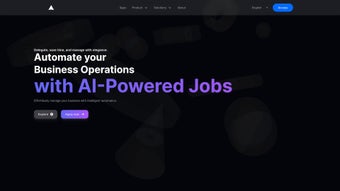

Download OptimAI – AI‑Powered Chatbot Platform for Seamless Customer Support
Overview: Why OptimAI Stands Out in the AI Chatbot Landscape
OptimAI is a web‑based AI chatbot platform created by the tech innovators at OptimAI. Designed for businesses of any size, the solution promises to cut support volumes while boosting customer satisfaction through intelligent, 24/7 automation. What makes OptimAI truly unique is its ability to generate a fully customized chatbot in under a minute by feeding specific data points and brand preferences into the system.
The platform claims to resolve up to 55 % of incoming support tickets without human intervention, freeing agents to focus on higher‑value interactions. With native support for 85 languages, OptimAI enables truly global service desks, and its multichannel deployment—including website widgets, WhatsApp, Facebook Messenger, and other popular messaging apps—means you can meet customers wherever they choose to chat. Beyond conversation handling, the platform supplies deep analytics, allowing you to track engagement, identify bottlenecks, and continuously improve bot performance.
Security is baked in: all data is encrypted at rest and in transit, and the service complies with GDPR, CCPA, and ISO 27001 standards, giving enterprises confidence that customer information stays protected. Pricing is tiered, beginning with a free‑trial tier that includes 5,000 conversational turns per month and scaling to enterprise plans that support millions of interactions with dedicated SLA guarantees. The AI engine leverages large language models fine‑tuned on support‑specific datasets, ensuring that responses feel natural while remaining on‑brand.
In short, OptimAI combines speed, multilingual reach, robust analytics, and enterprise‑grade security into a single, secure, cloud‑hosted solution that scales with your business needs.
Features, Pros & Cons: A Deep Dive into What OptimAI Offers
Key Features
- One‑click chatbot creation using pre‑filled templates and brand assets, allowing launch in under a minute.
- Support for 85 languages, enabling worldwide customer engagement without building separate bots.
- 24/7 availability with AI‑driven natural language understanding that adapts to user intent in real time.
- Seamless integration with existing CRMs, help desks, and messaging platforms (WhatsApp, web chat, Facebook Messenger, Slack, etc.) through native connectors and webhook support.
- Advanced analytics dashboard with KPI tracking, sentiment analysis, real‑time performance alerts, and exportable CSV reports.
- Drag‑and‑drop conversation builder for non‑technical users, featuring visual flow mapping and conditional logic.
- Customizable UI to match brand colors, fonts, bubble shapes, and voice tone, plus the ability to upload custom avatars.
- Secure data handling with GDPR‑compliant storage, end‑to‑end encryption, and regular third‑party security audits.
- Automatic learning from resolved tickets to improve response accuracy over time, leveraging continual model fine‑tuning.
- Scalable cloud infrastructure that auto‑scales during traffic spikes, guaranteeing sub‑second latency even during peak periods.
Pros
- Rapid deployment – bots are live in less than a minute, dramatically reducing time‑to‑value.
- Extensive multilingual coverage reduces the need for separate regional bots and simplifies global rollout.
- Rich analytics empower data‑driven optimization and clear ROI measurement.
- Low‑code builder makes customization accessible to marketing and support teams without developer bottlenecks.
- Robust integrations minimize workflow disruption and keep customer data synchronized across platforms.
- Secure, cloud‑native architecture ensures high uptime, automatic backups, and compliance with major data‑privacy regulations.
- Continuous learning engine improves answer quality automatically, decreasing manual training effort.
- Transparent pricing tiers with a generous free‑trial make budgeting straightforward.
Cons
- Advanced customization (deep scripting or API‑level tweaks) may require developer assistance, limiting pure no‑code usage for complex scenarios.
- Pricing tiers for high‑volume usage can become costly for very large enterprises, especially when scaling to millions of monthly turns.
- No native desktop application – management is confined to the web interface, which may be less convenient for agents who prefer a dedicated client.
- Learning curve for teams new to AI‑driven support concepts; initial training and change management are required.
- Some niche integrations (proprietary ticketing systems) may need custom middleware or Zapier workarounds.
Installation, Usage Instructions & Compatibility
Getting Started: Quick Installation Guide
Since OptimAI is a fully hosted SaaS solution, there is no traditional software download or installation process. To begin, visit the official OptimAI website and click the “Start Free Trial” button. You’ll be prompted to create an account using your business email. After confirming your email address, you’ll land on the dashboard where the one‑click chatbot wizard awaits.
The wizard asks for a few key inputs: the primary language of your audience, the core use‑cases (e.g., order tracking, FAQ, lead capture), and brand assets such as logo, color palette, and tone of voice. Once submitted, OptimAI’s AI engine auto‑generates a chatbot flow, which you can preview instantly. If needed, you can fine‑tune responses using the drag‑and‑drop builder, add conditional logic, or import existing FAQ documents. The platform also offers a “sandbox” mode where you can test the bot with simulated conversations before going live.
After the bot is ready, embed the provided JavaScript snippet into the of your website, or connect via the WhatsApp Business API using the integration settings. Activation is immediate, and the bot starts handling live traffic 24/7. For teams that prefer a mobile view, the admin console is fully responsive, allowing you to monitor performance and edit flows from any smartphone or tablet.
Supported Platforms (Operating Systems)
- Web browsers on Windows 10/11, macOS Ventura and later, Linux distributions (Chrome, Firefox, Edge, Safari).
- Mobile browsers on Android 8+ and iOS 13+ for responsive admin access.
- API‑based integration works with any server environment that supports HTTPS (Node.js, Python, PHP, Java, Ruby, etc.).
Best Practices for Ongoing Use
To get the most out of OptimAI, schedule a weekly review of the analytics dashboard. Look for high‑drop‑off points in conversation paths and adjust the flow accordingly. Leverage the “learning” feature by feeding resolved tickets back into the system; this improves intent recognition over time.
Regularly update the bot’s knowledge base with new product releases, policy changes, or seasonal promotions to keep the experience fresh and relevant. Enable real‑time alerts for sentiment spikes so you can intervene manually when a conversation turns negative. Finally, consider setting up role‑based access controls within the admin panel to ensure that only authorized personnel can edit critical bot logic or view sensitive data.
If you encounter connectivity issues, verify that your server’s outbound ports (443 for HTTPS) are open, and confirm that the domain you embed matches the one registered in your OptimAI account settings. The support portal includes a detailed troubleshooting guide, and a live chat option is available directly from the dashboard for immediate assistance.
Conclusion, FAQ & Call‑to‑Action
Final Thoughts and Why You Should Try OptimAI
OptimAI delivers on its promise of fast, multilingual, and intelligent chatbot deployment. Its blend of low‑code customization, deep analytics, and secure cloud hosting makes it a compelling choice for businesses seeking to automate a significant portion of their support workload. While large enterprises may need to consider the cost of high‑volume plans, the free trial and tiered pricing structure provide ample opportunity to evaluate ROI before committing.
The platform’s ability to handle up to 55 % of tickets automatically translates into measurable cost savings, reduced average handling time, and higher CSAT scores. Moreover, the continuous‑learning engine ensures that the bot becomes smarter with every interaction, protecting your investment over the long term. If you’re looking to reduce support tickets, improve response times, and offer a consistent brand experience around the clock, OptimAI is worth a close look.
Ready to see how a custom AI chatbot can transform your customer service? Start your free trial today and launch a fully branded bot in under a minute. Experience the power of AI‑driven automation without the hassle of complex installations, and watch your support metrics improve from day one.
Frequently Asked Questions
Can OptimAI handle multiple languages in a single chatbot?
Yes. OptimAI’s multilingual engine supports up to 85 languages simultaneously, allowing a single bot to detect a visitor’s language automatically and respond accordingly.
Is there a limit to the number of conversations per month?
The free tier includes 5,000 conversational turns per month. Paid plans scale up to millions of turns, with pricing based on volume and additional features.
How does OptimAI integrate with existing CRM systems?
OptimAI offers native connectors for popular CRMs such as Salesforce, HubSpot, and Zoho. You can also use Zapier or custom webhooks to push chatbot data into any REST‑compatible system.
What security measures protect my data?
All data is encrypted at rest and in transit (TLS 1.3). OptimAI complies with GDPR, CCPA, and ISO 27001 standards, providing regular security audits and data‑processing agreements.
Can I customize the bot’s visual appearance?
Absolutely. The platform includes a visual theme editor where you can set colors, fonts, bubble shapes, and even upload custom avatars to match your brand identity.
Overall Rating: 4.6 / 5



.png)



